Know what changed.Know what was true.
Investigate what was installed, vulnerable, or changing across your fleet at the moment that matters.
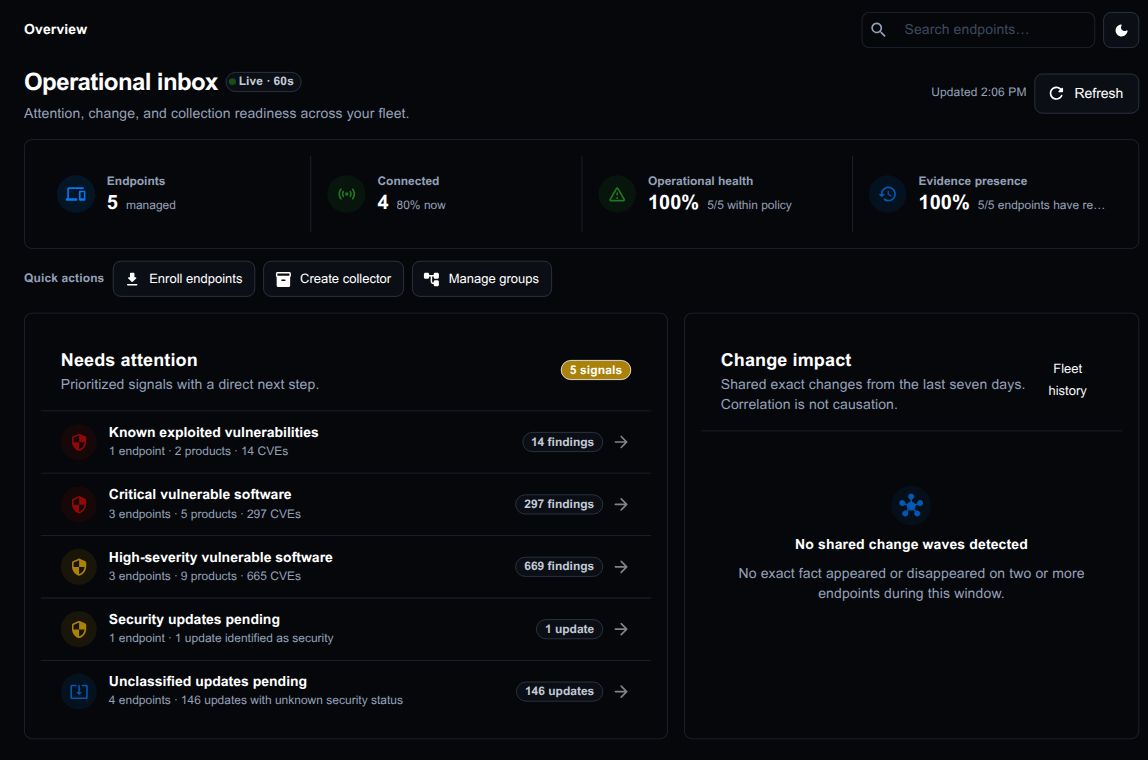
Answer the endpoint questions your existing tools leave open.
Investigate historical endpoint state alongside your existing security and management tools.
“What changed in the hours before the failure?”
“Which endpoints were exposed, and when did that stop being true?”
“Can we show the evidence—not only today’s state?”
Follow an issue from signal to historical evidence.
Follow an issue from the affected endpoints to their historical evidence.
Find the risk your last update left behind
A critical CVE published today can affect software you removed last month. Find which endpoints ran affected versions, when they were present, and the evidence behind each match.
Firefox 130.0.1 observed
September 20–25 and September 28–October 7, 2024
Affected version removed · October 7
CVE published by NVD · October 9
Fresh inventory now shows the affected version is no longer present.
Explore this exposureInvestigate potential exposure even after an affected version is gone.
Explore the product with representative endpoint evidence.
Explore historical vulnerability exposure, fleet risk, investigations, and custom collection—without installing an agent.
Explore product tourDesign the endpoint evidence your environment actually needs.
Build custom collectors and use their data in filters, history, and investigations.
Chain small, reusable collection functions
Target Windows, macOS, and Linux capabilities
Publish custom facts into the same temporal model
Start with the endpoint questions that already hurt.
Choose a high-value question, collect the facts it requires, and evaluate whether the evidence supports a trustworthy answer.
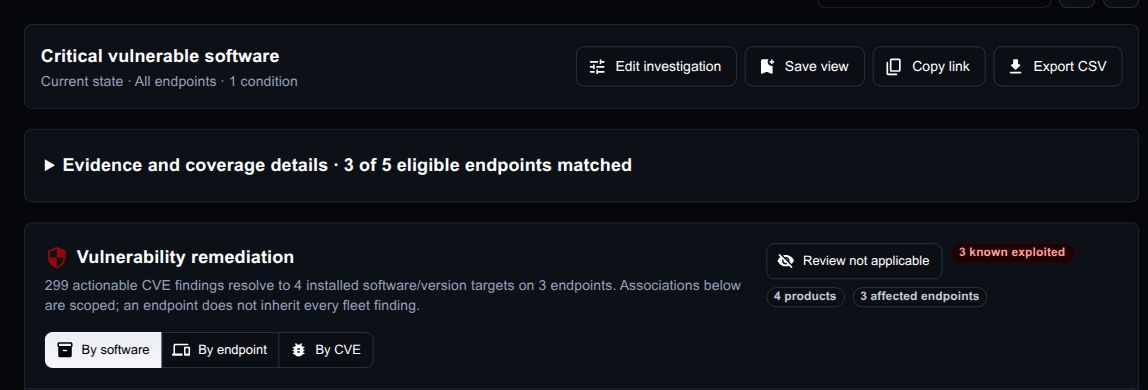
Vulnerability prioritization
Connect software identity and version evidence to CVEs, known exploitation, confidence, affected endpoints, and an actionable remediation view.
Incident reconstruction
Ask which processes, software, sessions, crashes, or custom facts were present before and during an event—not merely what remains afterward.
Change and drift analysis
Find facts that appeared, disappeared, or changed across an endpoint cohort, and compare current state with a recorded point in time.
Audit and operational evidence
Retain inspectable evidence for patch posture, software presence, local configuration, and organization-specific controls collected over time.
Bring one endpoint question and a representative endpoint group.
We will measure collection coverage, runtime, and answer quality before asking you to broaden the deployment.
What teams usually ask first
ChronoInsights preserves endpoint history for security and IT investigations. It works alongside your endpoint management, EDR, and vulnerability tools.
Software, operating systems, updates, accounts, sessions, and application crashes. You can build custom collectors for additional data.
Historical views reconstruct the endpoint state recorded at your chosen time, including changes between collections. Collection gaps and stale evidence are marked.
No. It searches collected evidence and returns results you can inspect. It cannot run commands or change endpoints.
Yes. Data from custom collectors is available in filters, historical views, and natural-language investigations.